Airweave Academy

Foundational concepts, definitions, and patterns for building retrieval infrastructure for AI agents.

/

Category

/

Introduction

Introducing context engineering as a core discipline for building reliable AI systems.

Introduction

Context Engineering

AI agents only perform as well as the context they are given. Ensuring that the right context is retrieved and served at the right time is therefore crucial to getting the most out of AI-powered systems.

Introduction

In this first article, let's start by introducing the concept of Context Engineering.

Context Engineering is the practice of systematically designing and managing the information an AI model sees in its context window to ensure accurate and reliable outputs.

Rather than focusing solely on crafting prompts, context engineering is concerned with what data, knowledge, history, and rules are loaded into the model’s input each time it runs.

This context can include retrieved documents, database records, application data, support tickets, code snippets, recent conversation history, facts from knowledge bases, tool outputs, or any other information that sits outside the immediate prompt instructions.

components of context window

The goal of context engineering is to present the model with a tailored, high-signal dataset for each operation, within the limits of the context window. In more practical terms, this means ensuring that when an AI agent is about to answer a question or execute a task, it has all the relevant information, and nothing extraneous, loaded into its short-term “memory.”

By curating the right context for each query or action, developers can significantly improve an agent’s consistency and usefulness in real-world scenarios. In essence, context engineering asks the question:


“What information should we put in front of the model, and how, to maximize the performance and reliability of its outputs?”


Context Quality

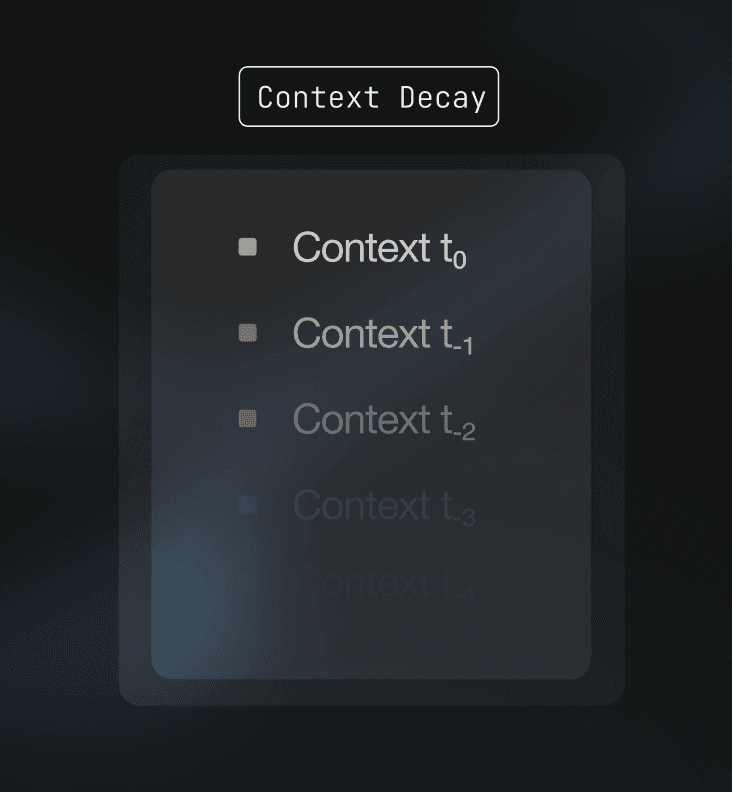
The quality of an AI agent’s outputs is directly determined by the quality of the context it receives. Large language models have powerful reasoning capabilities, but they operate within a finite context window and a limited attention budget. Every token placed into the context competes for that attention.

When context is poorly curated, models struggle. Including too much irrelevant or low-value information can cause the model to lose track of what matters most, leading to inconsistent answers or incorrect reasoning. This effect is often referred to as context rot, where adding more information actually reduces performance rather than improving it.

High-quality context, by contrast, is concise, relevant, and trustworthy. When an agent is provided with a small number of highly pertinent facts or documents, it is far more likely to produce accurate and grounded responses. Unfiltered context stuffing not only wastes computational resources, but also increases the likelihood of hallucinations. When a model cannot clearly identify the information it needs, it may attempt to fill in the gaps on its own.

Context quality also underpins consistency. Agents that operate across multiple turns or execute chains of actions depend on having the right information available each time they run. If key details are missing or outdated, the agent’s behavior can change unpredictably. Reliable agents treat context as a first-class concern rather than an afterthought.

In short, better context = better outcomes.

Looking Ahead

Context engineering is becoming a foundational discipline for building reliable AI agents. As systems grow more autonomous and operate over longer time horizons, their success increasingly depends on the quality, structure, and timeliness of the context they receive.

In the coming articles, we will explore the foundations of proper context engineering, the unique mechanics of information retrieval for AI, and what effective context management looks like in practice. We will also show how platforms like Airweave help teams implement robust context pipelines that scale from initial prototypes to full-scale production.


3 min read

/

Category

/

Foundations

Introduces the fundamental building blocks of retrieval-based AI systems.

Foundations

Basics of Information Retrieval

In the previous article, we defined Context Engineering as the systematic management of the information an AI model sees. However, before we can manage that information, we must first find it.

This is the role of Information Retrieval (or IR). In the context of AI agents and Retrieval-Augmented Generation (RAG), IR acts as the foundational layer that identifies relevant facts before the model ever generates a response.

DR vs IR

To build effective AI systems, we first have to distinguish between finding raw data and finding meaningful information.

Standard Data Retrieval is deterministic and binary. When you execute a simple SELECT x from Y SQL query for a specific ID, the system either finds that exact match or returns nothing. It is a precise operation based on explicit parameters.

Information Retrieval, by contrast, is probabilistic. Because IR deals with unstructured text where exact matches are often rare, the goal is not a simple yes or no answer. Instead, the system provides a relevance ranking. It returns a list of results sorted by the mathematical likelihood that they satisfy a specific "information need".

Keyword vs Semantic

While IR has traditionally relied on keyword matching, modern AI has introduced search based on semantic meaning. Most production-grade systems now utilize a hybrid of these two methods.

Keyword Search, or lexical retrieval, looks for literal character matches between a query and a document. This is typically achieved through an Inverted Index, which functions as a map of terms and the documents they inhabit. Algorithms like BM25 calculate scores based on term frequency and document frequency.

The primary limitation of keyword search is the "vocabulary mismatch" problem. If a user searches for "cardiac arrest" but the source text uses "heart attack", a keyword system will fail to bridge that gap.

Semantic Search addresses this by focusing on intent rather than spelling. By utilizing machine learning models, text is converted into Embeddings, which are high-dimensional numerical vectors. The system then calculates the distance between the query vector and document vectors, often using Cosine Similarity.

This allows the system to understand that "how to cool a room" is conceptually related to "air conditioning" regardless of the specific words used.

Precision and Recall

Engineering context for AI systems requires managing a constant balance between two primary metrics: Recall and Precision.

Recall measures the system's ability to find all relevant documents, ensuring that vital facts are not missed.

Precision measures the accuracy of those results, ensuring the system is precise and does not include irrelevant noise.

The balance between the two is critical because AI models operate within a limited context window. If a retrieval system provides high recall but low precision, the window becomes cluttered with "context rot".

This irrelevant information forces the model to expend its limited attention budget on noise, which often leads to inconsistent reasoning or hallucinations. Effective IR is not about finding the most data, but rather finding the most grounded and pertinent information.

Looking Ahead

In the next article, we will explore the "math of meaning" by diving deeper into the concept of Embeddings, explaining how text is actually transformed into searchable vector space.

3 min read

Foundations

Chunking and Units of Retrieval

Retrieval systems do not operate on raw documents. Before any search or ranking happens, data is split into smaller pieces. These pieces are referred to as the units of retrieval or chunks. How those units are defined has a direct impact on the quality, relevance, and reliability of information retrieval.

This article builds on the basics of information retrieval by focusing on what is actually retrieved before similarity or ranking is applied.

What is chunking?

Chunking is the process of splitting source data into discrete units that can be indexed and retrieved.

Once chunking is applied, the original document structure is no longer directly accessible to the retrieval system. All downstream components, including embedding, indexing, search, and ranking, operate on chunks rather than full documents. Because language models only see retrieved chunks, chunking defines what information the model can consider when answering a query.

Approaches

The simplest approach is fixed size chunking.

Fixed size chunking is a chunking method where text is split by token count with optional overlap between adjacent chunks.

This method is straightforward to implement but ignores structure and semantics. It often results in:

  • broken sentences or code blocks

  • mixed topics within a single chunk

  • loss of logical boundaries such as sections or paragraphs

A more reliable approach is semantic chunking.

Semantic chunking is a chunking method that attempts to identify natural topic boundaries rather than splitting at arbitrary positions.

Semantic chunking works by computing representations for smaller units such as sentences and measuring similarity between adjacent sections. When similarity drops significantly, the system identifies a topic shift and creates a boundary. This helps keep related content grouped together within a single chunk.

Some content types have inherent structure that chunking should respect. Code, for example, can be parsed into an abstract syntax tree and split at logical boundaries such as functions, classes, or methods. Documents with clear headings or markup can be split at section boundaries.

Structure aware chunking is a chunking method that preserves meaningful units that would otherwise be fragmented by fixed size or semantic approaches.

Token limits

Embedding models impose maximum input sizes. A chunk that exceeds the embedding model’s token limit cannot be embedded at all. This makes chunk size constraints a system requirement, not just a quality preference.

When a chunking strategy produces content that exceeds these limits, a fallback mechanism is necessary to split it further, typically at token boundaries. This ensures all chunks meet system constraints while preserving structure wherever possible.

In that sense, chunk size introduces an inherent tradeoff:

Smaller chunks improve precision because retrieved units are tightly focused. However, they may omit context required to fully answer a query.

Larger chunks preserve more context but increase the risk of irrelevant information being retrieved alongside relevant content. They also consume more of the model’s limited context window.

That being said, there is not really a universally correct chunk size. What's optimal depends on the specific data source, query patterns, and how much context the downstream models actually need in practice.

Effect on retrieval

It's important to note that once data is chunked and indexed, a retrieval system won't be able to recover information that was lost or fragmented during chunking. This is an important points and is why poorly defined chunking can lead to:

  • partial or incomplete answers

  • irrelevant context being passed to the model

  • retrieval results that appear noisy or inconsistent

These issues are often misattributed to later stages in the retrieval pipeline. In practice however, many retrieval failures actually originate from how chunks are defined. In any case, chunking should be treated as a core system design decision (a first class citizen) rather than a preprocessing detail.

Looking ahead

Chunking defines the units of retrieval that a system operates on. These units determine what information is eligible for retrieval and how useful retrieved context will be.

In the next article, we will explore how these chunks are transformed into embeddings, the numerical representations that actually enable semantic search.

3 min read

Foundations

Embeddings and Semantic Search

If Information Retrieval is the process of finding relevant facts, then Embeddings are the language that makes that process possible for a machine. While humans perceive language through syntax and definitions, machine learning models require a mathematical representation to understand the relationship between different pieces of data.

Representation

At its most basic level, an embedding is a numerical representation of an object, such as a word, a sentence, or an entire document. This object is transformed into a fixed-length array of numbers called a vector. These are not simple binary values. They are continuous floating-point numbers that act as coordinates in a high-dimensional space.

When we say this space is high-dimensional, we mean it may have hundreds or even thousands of axes. For example, modern embedding models (for example, the OpenAI embedders) frequently generate vectors with 1,536 dimensions. Each dimension conceptually represents a specific feature or trait of the data, such as its topic, tone, or relationship to other concepts.

Geometric Properties

The power of embeddings lies in their ability to preserve semantic relationships. In a well-trained embedding space, items with similar meanings are positioned closer to one another than items that are unrelated.

This spatial arrangement allows machines to perform semantic arithmetic. A classic example in natural language processing is the relationship between gender and royalty. The vector for "King" minus the vector for "Man" plus the vector for "Woman" will result in a coordinate very close to the vector for "Queen". Because the model has mapped royalty and gender as distinct dimensions in its mathematical world, it can navigate these concepts without needing a dictionary.

Similarity

Once data is converted into vectors, the task of finding relevant information becomes a geometry problem. We use distance metrics to quantify how similar two embeddings are.

Cosine Similarity: This is the most common metric for text embeddings. Instead of measuring the raw distance between two points, it measures the angle between two vectors. If two vectors point in exactly the same direction, their similarity score is 1. If they are perpendicular, it is 0.

This is particularly useful for text because it focuses on the orientation of the meaning rather than the length of the document.

Euclidean Distance (L2): This measures the straight-line distance between two points in the vector space. While intuitive, it can be sensitive to the magnitude of the vectors, meaning it might struggle if your documents vary greatly in length.

Purpose

Without embeddings, an AI agent's information retrieval would be limited to exact keyword matching. This approach is brittle and easily confused by synonyms or varied phrasing. By using embeddings, a developer can ensure that if a user asks about "reducing household energy costs", the system can retrieve documents about "insulation" or "solar panels" even if the original query did not use those specific terms.

This capability is the engine behind semantic search and RAG, and is what allows the system to bridge the gap between human messy, natural language queries and the structured or unstructured data stored in your apps and databases.

3 min read

Foundations

Vector Databases for AI

In the previous article we introduced what embeddings are and how semantic search uses similarity between vectors to find relevant content. Embeddings give us a way to measure meaning in numeric form. What comes next is how we store and search those embeddings efficiently.

A vector database is a database that stores embeddings and makes similarity search practical at scale.

A vector database stores embeddings together with metadata. It answers queries like “which stored items are closest in meaning to this input”. Instead of looking for exact text matches, it compares vectors and returns the most similar ones.

This makes vector databases a core component of retrieval systems used in AI applications such as semantic search, knowledge lookup, and retrieval-augmented generation.

Traditional databases

Traditional databases excel at exact matches and structured queries. They are not designed for high-dimensional vector data where the goal is to measure closeness in meaning rather than equality.

Semantic retrieval requires:

  • comparing many vectors quickly

  • using distance or similarity metrics

  • finding nearest neighbors among millions of items

Vector databases use specialized indexes and algorithms to make this fast.

How vector databases work

The basic loop looks like this:

1. Ingest and embed
Turn your text or other data into embeddings using a model. Store the vectors and any metadata.

2. Index for similarity
Build an index optimized for nearest neighbor queries in many dimensions. This avoids comparing every vector on every query.

3. Query and compare
Convert the user query into an embedding with the same model. Search for the stored vectors that are most similar by a distance measure such as cosine similarity.

4. Return results
Fetch the content linked to the best matching vectors so your application can use them.

This flow lets you find the most relevant content by meaning rather than by exact text.

Usecases

Vector databases start to matter whenever you rely on embedding similarity for retrieval. Common usecases include:

  • semantic document search

  • RAG (retrieval-augmented generation) workflows

  • long-term memory storage for agents

  • similarity-based recommendations

If your system only needs exact matches or structured fields, a traditional database may still be the right choice. Vector databases become important once embeddings are the primary retrieval signal.

Looking Ahead

Even though vector similarity is a powerful concept, it's unfortunately not perfect. Pure vector search can (and in practice often does) miss exact textual matches such as:

  • matching specific codes or identifiers

  • finding proper nouns

  • matching on exact phrases that are critical for some queries

Because of this, production retrieval systems often combine multiple methods of search and retrieval to improve relevance and recall.

This leads us directly into the topics of the next article: hybrid search and reranking, where we will discuss blending vector and keyword methods and reorder results based on deeper evaluation.

2 min read

Foundations

Hybrid Search and Reranking

Finding the right vector is only half the battle. While embeddings provide a powerful way to navigate the "meaning" of data, they are not a universal solution for every retrieval challenge. In production environments, relying solely on semantic similarity often leads to surprising failures, especially when queries involve technical jargon, product codes, or specific names.

To solve this, modern search architecture often applies a two-stage process: Hybrid Search followed by Reranking.

Hybrid Search

Hybrid search is the practice of running two different search methodologies in parallel and merging their results into a single list. It combines the semantic depth of vector search with the literal precision of keyword search.

Even the most advanced embedding models can struggle with "out-of-vocabulary" terms. For example, if a user searches for a specific error code like ERR_90210, a vector model might retrieve documents about "general system errors" because it recognizes the concept of a failure.

A keyword search, however, will find the exact manual entry for that specific code instantly. By using both, the system ensures that it captures both the broad intent of the original query and its specific details.

When you run two searches, you end up with two different lists of results, each with its own scoring system. Keyword search uses BM25 scores, while vector search uses Cosine Similarity. Because these scales are mathematically different, you cannot simply add them together.

The industry standard for merging these lists is Reciprocal Rank Fusion (RRF).

Reciprocal Rank Fusion is a ranking algorithm that merges multiple result lists by using document rank positions instead of raw scores, rewarding items that rank highly across multiple retrieval methods.

Instead of looking at the raw scores, RRF looks at the rank of each document in both lists. A document that appears near the top of both the keyword list and the vector list receives a significantly higher final score than a document that only appears in one.

This approach is favored in production because it is robust, requires no manual tuning, and effectively balances the strengths of both retrieval methods.

Reranking

The final step in a high-performance retrieval pipeline is the Reranker, also known as a Cross-Encoder.

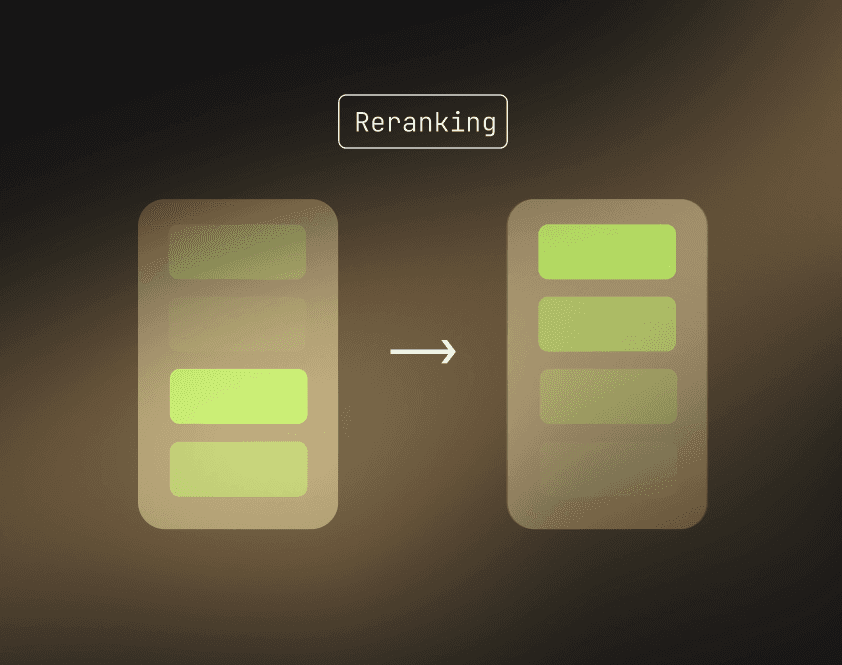
A Reranker (or Cross-Encoder) is computationally expensive model that jointly evaluates a query and each candidate result to produce a high-precision relevance score, used to reorder a small set of retrieved results so the most contextually correct information appears at the top.

While the initial retrieval stage (Bi-Encoders) is designed for speed, it often sacrifices some nuance to scan millions of documents quickly. A Reranker is a much more computationally expensive model that looks at the query and a document together at the same time.

Because it is slow, we do not use it to search the whole database. Instead, we take the top 50 or 100 results from our hybrid search and pass them to the Reranker.

The Reranker then performs a deep analysis of the relationship between the user's question and the content of each document, reordering them to ensure the most relevant information is at the very top of the list.

Context Window Optimization

In the context of an AI agent, every piece of information we retrieve occupies space in the model's limited attention span. Using hybrid search and reranking serves as a high-fidelity filter. By the time the information reaches the LLM, the "noise" has been stripped away, leaving only the high-signal facts required to generate an accurate response.

3 min read

/

Category

/

Airweave

Deep dives into Airweave's architecture, infrastructure design, and how the system works in production.

Airweave

Inside Airweave's Architecture

Context retrieval for AI agents is fundamentally an infrastructure problem. To build systems that can reliably search across dozens of data sources, scale to millions of records per user, and maintain low latency, you need architectural patterns designed specifically for these challenges.

This article explores how Airweave's distributed architecture solves the core problems of continuous data synchronization and fast semantic retrieval at scale.

Challenges

AI agents depend on context, but enterprise data lives in fragments. A single query like "What are my team's blockers this week?" requires information from Linear, Slack, Google Calendar, and email, each with its own API, authentication, rate limits, and data formats.

The common approach of embedding static documents and storing them in a vector database works for demos, but it fails in production. Real systems need:

Continuous sync: Data must stay fresh as sources change in real time
Permission awareness: Users should only see what they're authorized to access
Massive scale: Handle millions of records per user without degrading
Predictable latency: Return results in milliseconds, not seconds
Fault tolerance: Gracefully handle API failures and rate limits

Building this kind of system requires thinking beyond simple RAG pipelines. You need distributed architecture designed for durability, scalability, and separation of concerns.

Design Principles

Airweave's architecture follows three core principles that shape every component:

Separation of read and write paths: Search operations (reads) and data synchronization (writes) run independently. A surge in queries never slows down background syncs. An external API failure during sync never impacts search performance.

Horizontal scalability by default: Every component scales independently. Need to process more sources? Add sync workers. Need to handle more queries? Add API instances. Scale one dimension without affecting others.

Durability over speed for writes: Background syncs prioritize reliability and resumability. If a sync fails halfway through processing a million records, it resumes from the last checkpoint rather than starting over.

The Control Plane and Data Plane

Airweave separates concerns into two distinct layers:

The Control Plane (API) is a lightweight FastAPI service that handles authentication, authorization, and orchestration. It validates users, manages collection access, and schedules sync jobs, but it explicitly avoids heavy processing.

The API never directly contacts external data sources or performs transformations. It delegates all expensive operations to workers. This keeps the API responsive regardless of what's happening in background syncs.

The Data Plane (Sync Workers) consists of stateless, horizontally scalable processes that perform all heavy lifting: pulling data from external APIs, detecting changes, writing to databases, and publishing progress updates.

Workers are designed to be ephemeral. If a worker crashes mid-sync, the workflow engine automatically retries the job on another worker. Because workers are stateless, any worker can pick up any job, enabling efficient horizontal scaling.

Storage and Orchestration

Airweave uses different databases optimized for different access patterns:

PostgreSQL (Management Database) stores transactional data: user accounts, organizations, collections, source connection configurations, sync metadata, and system bookkeeping.

Vespa (Vector/Search Database) stores all searchable user data from external sources, optimized for semantic and hybrid retrieval operations.

This separation reflects fundamentally different workloads. PostgreSQL handles configuration changes and metadata updates (low volume, high consistency). Vespa handles semantic search and ranking (high volume, optimized for speed).

Two systems coordinate distributed operations:

Temporal serves as the workflow engine. It schedules sync jobs, distributes them to available workers, tracks progress, and handles retries. Each sync runs as a durable workflow that can resume from checkpoints if interrupted.

Redis Pub/Sub enables real-time status updates. Workers broadcast progress events that the API streams to connected UIs, creating a responsive experience without polling.

The Read Path: How Search Works

When a user searches a collection, the flow is deliberately simple:

UI → API → Vespa → API → UI

  1. User submits a search query with collection ID

  2. API validates user access to that collection

  3. API queries Vespa with search terms and permission filters

  4. Vespa executes its retrieval pipeline (embeddings, ranking, filtering)

  5. Results return to the user

The entire path is synchronous and typically completes very quickly. Critically, search never involves Temporal or workers. It's a direct read from the vector database. This isolation keeps latency low and predictable.

Permission filtering happens at query time by encoding access rules into Vespa's metadata layer. Users only receive results they're authorized to see based on organizational role and source-specific permissions.

The Write Path: How Syncs Work

The write path optimizes for durability and scale rather than immediate response:

UI → API → PostgreSQL → Temporal → Worker → Source → Databases

  1. User creates a source connection (e.g., Google Drive)

  2. API stores connection config in PostgreSQL

  3. API schedules a sync workflow in Temporal and returns immediately

  4. Temporal assigns the job to an available sync worker

  5. Worker loads sync context from PostgreSQL

  6. Worker pulls data from the external source

  7. Worker detects changes by comparing against previous state

  8. Worker writes to both databases:

    • New/updated records → Vespa (searchable immediately)

    • Sync metadata → PostgreSQL (for resumability)

  9. Worker publishes progress to Redis for real-time UI updates

This asynchronous design means users never wait for syncs to complete. Data becomes searchable incrementally as it's processed.

Workers maintain checksums or modification timestamps for each item. On subsequent syncs:

  • Unchanged items are skipped entirely (no writes)

  • Modified items trigger updates to Vespa

  • Deleted items are tombstoned in Vespa

This delta detection dramatically reduces write volume and keeps incremental syncs fast after the initial full import.

Designing for Scale

The design choices described above solve specific infrastructure problems:

Independent scaling: API instances, sync workers, PostgreSQL, and Vespa all scale horizontally and independently. A surge in one dimension doesn't bottleneck others.

Graceful degradation: When external APIs fail or rate-limit requests, workers retry with exponential backoff. When workers crash, Temporal resumes workflows from checkpoints. The system prioritizes eventual consistency over immediate perfection.

Agent-optimized retrieval: Everything optimizes for fast, reliable search. Data is denormalized during ingestion so queries remain simple. Embeddings are computed at write-time, not read-time. Permission rules are pre-indexed rather than evaluated dynamically.

Operational isolation: Read and write paths run independently. Search failures don't impact syncs. Sync delays don't slow down queries. This separation prevents cascading failures and makes the system easier to reason about.

Understanding what breaks when components fail reveals the robustness built into the architecture:

API failure: Searches fail, but background syncs continue running. When the API recovers, all scheduled syncs have completed normally.

Worker failure: Searches work perfectly (read path unaffected), but new syncs pause. When workers recover, Temporal resumes workflows from their last checkpoint.

Temporal failure: Both searches and active syncs continue, but new syncs cannot be scheduled. When Temporal recovers, it catches up on missed schedules.

PostgreSQL failure: Searches work (they only need Vespa), but new syncs cannot start and metadata cannot update. Workers retry database writes until PostgreSQL recovers.

Vespa failure: Syncs continue (they write to Vespa with retries), but searches fail. This is the only single point of failure for the read path.

Redis failure: Everything works, but real-time UI updates stop. Users can still trigger syncs and search; they just lose live progress indicators.

The read/write split was a deliberate choice: the read path (search) is kept maximally available, while the write path (sync) can gracefully degrade and recover without data loss.

All in all, Airweave's architecture enables predictable scaling along multiple dimensions:

User growth: Add sync workers to handle more concurrent syncs. The API and databases scale independently of user count.

Data volume per user: Vespa handles billions of records efficiently. Workers process sources in batches with checkpoints, allowing syncs to pause and resume.

Source diversity: Adding new integrations (e.g., a new SaaS tool) only requires implementing a new worker module. Core infrastructure remains unchanged.

Query load: Add API replicas and Vespa read replicas. Searches are stateless and cache-friendly, enabling straightforward horizontal scaling.

Looking Ahead

Building reliable context retrieval for AI agents requires infrastructure designed specifically for continuous synchronization, distributed processing, and semantic search at scale.

The patterns described here (separation of read and write paths, durable workflows, horizontal scalability, and specialized storage) apply broadly beyond Airweave's specific implementation. Whether you're building RAG systems, AI assistants, or autonomous agents, you'll eventually encounter the same fundamental challenges:

  • How to keep data fresh across dozens of sources

  • How to scale to millions of records per user

  • How to serve context in milliseconds

  • How to handle failures gracefully

As AI agents take on more responsibility in production systems, the infrastructure connecting them to real-world data becomes as critical as the models themselves.

7 min read

Airweave

Getting Started with Airweave

Building AI agents that need access to real-world data requires solving a fundamental problem: how do you give your agent reliable, up-to-date context from dozens of different sources without building custom integrations for each one?

This article walks through the core workflow of using Airweave to turn scattered data sources into a unified retrieval layer that AI agents can query in a single request. In essence, using Airweave follows a straightforward pattern:

  1. Create a collection (your searchable knowledge base)

  2. Add source connections (link your apps and databases)

  3. Wait for sync (Airweave pulls and indexes your data)

  4. Search and retrieve (query from your agent or application)

Each step builds on the last, and once configured, Airweave handles continuous synchronization automatically.

Collections

A Collection is a searchable knowledge base composed of entities from one or more source connections. Collections are what your AI agents actually query.

Think of a collection as a unified index across multiple data sources. You might create a collection called "Engineering Context" that includes:

  • GitHub issues and pull requests

  • Slack messages from your engineering channel

  • Notion documentation

  • Linear tickets

When your agent searches this collection, it retrieves relevant results from all connected sources in a single query, ranked by relevance regardless of where the data originated.

Collections are created through the SDK or API:

collection = airweave.collections.create(
    name="Engineering Context"
)
collection = airweave.collections.create(
    name="Engineering Context"
)
collection = airweave.collections.create(
    name="Engineering Context"
)
collection = airweave.collections.create(
    name="Engineering Context"
)

Once created, a collection has a unique readable_id that you'll use for all subsequent operations.

Source Connections

A Source Connection is a configured, authenticated instance of a connector linked to your specific account or workspace. It represents the actual live connection to your data using your credentials.

While Airweave supports many source types (Slack, GitHub, Notion, Google Drive, databases, and more), each source connection is specific to your account. You might have multiple connections to the same source type. For example, connecting to three different Slack workspaces or two separate GitHub organizations.

Creating a source connection requires:

  1. Selecting a connector: The source type you want to connect (e.g., "slack", "github", "notion")

  2. Authenticating: Providing credentials via OAuth or API keys

  3. Assigning to a collection: Linking the connection to an existing collection

source_connection = airweave.source_connections.create(
    name="My Stripe Connection",
    short_name="stripe",
    readable_collection_id=collection.readable_id,
    authentication={
        "credentials": {
            "api_key": "your_stripe_api_key"
        }
    }
)
source_connection = airweave.source_connections.create(
    name="My Stripe Connection",
    short_name="stripe",
    readable_collection_id=collection.readable_id,
    authentication={
        "credentials": {
            "api_key": "your_stripe_api_key"
        }
    }
)
source_connection = airweave.source_connections.create(
    name="My Stripe Connection",
    short_name="stripe",
    readable_collection_id=collection.readable_id,
    authentication={
        "credentials": {
            "api_key": "your_stripe_api_key"
        }
    }
)
source_connection = airweave.source_connections.create(
    name="My Stripe Connection",
    short_name="stripe",
    readable_collection_id=collection.readable_id,
    authentication={
        "credentials": {
            "api_key": "your_stripe_api_key"
        }
    }
)

For OAuth-based sources like Slack, Google Drive, or GitHub, Airweave handles the OAuth flow through the UI. For API-key-based sources like Stripe or custom databases, you provide the credentials directly.

Syncing

Once a source connection is created, Airweave immediately triggers an initial sync. This process:

  • Pulls all accessible data from the source

  • Transforms it into searchable entities

  • Chunks long content for better retrieval

  • Generates embeddings for semantic search

  • Indexes everything in Vespa

The initial sync can take time depending on data volume. A Slack workspace with years of messages might take several minutes. A large Google Drive with thousands of large documents could take longer.

After the initial sync completes, Airweave continues syncing on a schedule (configurable per connection) or can be triggered programmatically via the API. Incremental syncs are fast because Airweave only processes new or modified data.

You can monitor sync status through the dashboard or by checking the source connection object:

status = airweave.source_connections.get(
    source_connection_id=source_connection.id
)
print(status.status)
status = airweave.source_connections.get(
    source_connection_id=source_connection.id
)
print(status.status)
status = airweave.source_connections.get(
    source_connection_id=source_connection.id
)
print(status.status)
status = airweave.source_connections.get(
    source_connection_id=source_connection.id
)
print(status.status)

Searching

When an agent searches a collection, the query runs across all entities from all connected sources, returning the most relevant results regardless of where the data originally came from.

Search is where Airweave delivers value. Your agent sends a natural language query, and Airweave returns the most relevant context from across all connected sources.

results = airweave.collections.search(
    readable_id=collection.readable_id,
    query="What are the open bugs related to authentication?",
    limit=10
)

for result in results.results:
    print(f"Source: {result.source_name}")
    print(f"Content: {result.md_content}")
    print(f"Score: {result.score}")
results = airweave.collections.search(
    readable_id=collection.readable_id,
    query="What are the open bugs related to authentication?",
    limit=10
)

for result in results.results:
    print(f"Source: {result.source_name}")
    print(f"Content: {result.md_content}")
    print(f"Score: {result.score}")
results = airweave.collections.search(
    readable_id=collection.readable_id,
    query="What are the open bugs related to authentication?",
    limit=10
)

for result in results.results:
    print(f"Source: {result.source_name}")
    print(f"Content: {result.md_content}")
    print(f"Score: {result.score}")
results = airweave.collections.search(
    readable_id=collection.readable_id,
    query="What are the open bugs related to authentication?",
    limit=10
)

for result in results.results:
    print(f"Source: {result.source_name}")
    print(f"Content: {result.md_content}")
    print(f"Score: {result.score}")

Behind the scenes, Airweave runs a hybrid search combining:

  • Semantic search: Vector similarity using embeddings

  • Keyword search: BM25 for exact term matching

  • Reranking: LLM-based reranking for precision

Results include source attribution, so your agent knows exactly where each piece of information came from. This enables citation-backed responses and helps users verify facts.

Entities

An Entity is a single, searchable item extracted from a source. Entities are the atomic units of data that get indexed and returned in search results.

You don't interact with entities directly in most cases, but understanding them helps explain how Airweave works. When Airweave syncs a source connection, it extracts entities:

  • A Slack message becomes an entity

  • A GitHub codefile becomes an entity

  • A Notion page becomes an entity

  • A database row becomes an entity

Each entity carries metadata like timestamps, author information, source type, and links back to the original content. This metadata enables filtering and source attribution in search results.

Permission Awareness

One critical aspect of Airweave's design: it respects source-level permissions. When you authenticate a source connection, Airweave only syncs data your credentials can access.

For example:

  • A Slack connection only syncs channels the authenticated user can see

  • A GitHub connection only syncs repositories the token has access to

  • A Google Drive connection only syncs files the user can read

This means different users can have different collections with different source connections, each seeing only the data they're authorized to access.

Integration Patterns

Airweave integrates into AI applications through several interfaces:

SDK (Python/Node.js): Best for custom agents and applications. Full programmatic control over collections, source connections, and search.

REST API: Direct HTTP access for any language or framework. Useful for integrations beyond the SDK languages.

MCP Server: Model Context Protocol integration for tools like Claude Desktop, Cursor and Codex. Enables agents to search Airweave collections as a native capability.

Framework Integrations: Native support for popular agent frameworks like Vercel and LlamaIndex, enabling drop-in retrieval without custom code.

The choice depends on your stack, but all interfaces provide the same core functionality: create collections, add sources, search for context.

Looking Ahead

Airweave handles the infrastructure of context retrieval so you can focus on building capable agents. Once collections are configured and syncing, your agent has reliable access to up-to-date context without worrying about API quirks, rate limits, or keeping data fresh.

The patterns described here (collections, source connections, continuous sync, unified search) form the foundation for building agents that operate on real-world data rather than static snapshots. Whether you're building internal tools, customer-facing assistants, or autonomous agents, Airweave provides the retrieval layer that connects intelligence to information.

5 min read

Airweave

Case Study: Error Monitoring Agent

Error monitoring tools send alerts. What engineering teams actually need is context: What code is involved? Did anyone work on this yet? Is this a new issue or is this a known regression?

This article walks through building an intelligent error monitoring agent that uses Airweave to transform raw error logs into enriched, actionable alerts. We'll cover the architecture, implementation patterns, and lessons learned from processing 40,000+ queries per month in production.

The full implementation is available at github.com/airweave-ai/error-monitoring-agent.

Problem Setting

Traditional error monitoring follows a simple pattern: error occurs, alert fires, engineer investigates. This breaks down at scale for several reasons:

Alert fatigue: A single underlying issue can generate hundreds of individual alerts. Engineers learn to ignore notifications or spend hours triaging duplicates.

Missing context: Error logs contain stack traces but lack the surrounding context engineers need. Which code is affected? Has this happened before? Is there already a ticket?

Manual correlation: Engineers manually search GitHub for relevant code, check Linear for existing tickets, and scan Slack for related discussions. This takes 10-15 minutes per error.

Reactive posture: By the time an alert reaches someone, customers have often already experienced the issue. There's no opportunity for proactive fixes.

For small teams maintaining complex systems, this overhead becomes unsustainable.

Architecture Overview

The error monitoring agent runs as a scheduled pipeline (every 5 minutes in production) with five core stages:

  1. Fetch and cluster errors from monitoring systems

  2. Search for context using Airweave across GitHub, Linear, and Slack

  3. Analyze severity and determine if this is new, ongoing, or a regression

  4. Determine suppression, should this trigger an alert or be silenced?

  5. Create alerts in Slack and Linear with full context

Each stage feeds into the next, progressively enriching raw errors with the context engineers need to act quickly.

Stage 1: Semantic Error Clustering

Raw error logs are noisy. A database timeout might generate 50 identical stack traces within minutes. The first step is grouping errors by root cause rather than treating each occurrence as distinct.

Multi-Stage Clustering

The agent uses a four-stage clustering approach:

Stage 1: Strict Clustering - Group by exact module + function + line number match. This catches identical stack traces immediately.

Stage 2: Regex Pattern Clustering - Group by error type extracted via regex patterns. For example, "429", "rate limit", and "too many requests" all map to a "RateLimit" error type. Errors matching the same pattern type with 2+ occurrences form a cluster.

Stage 3: LLM Semantic Clustering - (Optional) Use Claude or GPT-4 to identify remaining unclustered errors with similar root causes but different surface presentations. The LLM returns groupings like [[0, 1, 3], [2], [4, 5]] and then a second LLM call generates a human-readable signature (50-150 chars) for each multi-error group.

Stage 4: Cluster Merging - Only runs when there are 3+ clusters. Uses the LLM to decide which clusters to merge. Falls back to merging clusters with the same extracted error type if no LLM is available.

This reduces 500 raw logs to approximately 10-15 distinct clusters worth investigating.

Implementation Pattern

from pipeline.clustering import ErrorClusterer

# Fetch raw errors from Azure Log Analytics (or Sentry, etc.)
raw_errors = await data_source.fetch_errors(
    window_minutes=30,
    limit=100
)

# Multi-stage clustering (strict → regex → LLM → merge)
clusterer = ErrorClusterer()
clusters = await clusterer.cluster_errors(
    errors=raw_errors
)

# Result: 100 errors → ~8 clusters
for cluster in clusters:
    print(f"Cluster: {cluster['signature']}")
    print(f"Count: {cluster['error_count']}")
    print(f"First seen: {cluster['first_occurrence']}")
from pipeline.clustering import ErrorClusterer

# Fetch raw errors from Azure Log Analytics (or Sentry, etc.)
raw_errors = await data_source.fetch_errors(
    window_minutes=30,
    limit=100
)

# Multi-stage clustering (strict → regex → LLM → merge)
clusterer = ErrorClusterer()
clusters = await clusterer.cluster_errors(
    errors=raw_errors
)

# Result: 100 errors → ~8 clusters
for cluster in clusters:
    print(f"Cluster: {cluster['signature']}")
    print(f"Count: {cluster['error_count']}")
    print(f"First seen: {cluster['first_occurrence']}")
from pipeline.clustering import ErrorClusterer

# Fetch raw errors from Azure Log Analytics (or Sentry, etc.)
raw_errors = await data_source.fetch_errors(
    window_minutes=30,
    limit=100
)

# Multi-stage clustering (strict → regex → LLM → merge)
clusterer = ErrorClusterer()
clusters = await clusterer.cluster_errors(
    errors=raw_errors
)

# Result: 100 errors → ~8 clusters
for cluster in clusters:
    print(f"Cluster: {cluster['signature']}")
    print(f"Count: {cluster['error_count']}")
    print(f"First seen: {cluster['first_occurrence']}")
from pipeline.clustering import ErrorClusterer

# Fetch raw errors from Azure Log Analytics (or Sentry, etc.)
raw_errors = await data_source.fetch_errors(
    window_minutes=30,
    limit=100
)

# Multi-stage clustering (strict → regex → LLM → merge)
clusterer = ErrorClusterer()
clusters = await clusterer.cluster_errors(
    errors=raw_errors
)

# Result: 100 errors → ~8 clusters
for cluster in clusters:
    print(f"Cluster: {cluster['signature']}")
    print(f"Count: {cluster['error_count']}")
    print(f"First seen: {cluster['first_occurrence']}")

The clustering logic maintains state between runs to track whether a cluster is new, ongoing, or a regression of a previously fixed issue.

Stage 2: Context Search with Airweave

Once errors are clustered, the agent needs context. This is where Airweave transforms the workflow.

Multi-Source Search Strategy

For each error cluster, the agent performs three parallel searches:

GitHub search - Find code files and functions related to the error. Returns file paths with line numbers and relevant code snippets.

Linear search - Check for existing tickets about this issue. If found, link to the ticket instead of creating a duplicate.

Slack search - Surface past discussions, incident threads, or solutions from previous occurrences.

GitHub and Linear sync continuously into the Airweave collection. Slack uses federated search, querying the Slack API at search time and merging results via Reciprocal Rank Fusion. All three searches run through the same unified interface.

Implementation Pattern

from pipeline.search import ContextSearcher

searcher = ContextSearcher()

# Search three sources per cluster
context_results = await searcher.search_context(clusters)
# Returns github, linear, and docs results per cluster
from pipeline.search import ContextSearcher

searcher = ContextSearcher()

# Search three sources per cluster
context_results = await searcher.search_context(clusters)
# Returns github, linear, and docs results per cluster
from pipeline.search import ContextSearcher

searcher = ContextSearcher()

# Search three sources per cluster
context_results = await searcher.search_context(clusters)
# Returns github, linear, and docs results per cluster
from pipeline.search import ContextSearcher

searcher = ContextSearcher()

# Search three sources per cluster
context_results = await searcher.search_context(clusters)
# Returns github, linear, and docs results per cluster

Under the hood, search_context calls a private method three times per cluster:

async def _search_source(self, query, source_filter=None, limit=5):
    if source_filter:
        # Use advanced search with filter
        response = await self.client.collections.search_advanced(
            readable_id=self.collection_readable_id,
            query=query,
            filter={
                "must": [
                    {"key": "source_name", "match": {"value": source_filter}}
                ]
            },
            limit=limit
        )
    else:
        # Search all sources
        response = await self.client.collections.search(
            readable_id=self.collection_readable_id,
            query=query,
            limit=limit
        )
async def _search_source(self, query, source_filter=None, limit=5):
    if source_filter:
        # Use advanced search with filter
        response = await self.client.collections.search_advanced(
            readable_id=self.collection_readable_id,
            query=query,
            filter={
                "must": [
                    {"key": "source_name", "match": {"value": source_filter}}
                ]
            },
            limit=limit
        )
    else:
        # Search all sources
        response = await self.client.collections.search(
            readable_id=self.collection_readable_id,
            query=query,
            limit=limit
        )
async def _search_source(self, query, source_filter=None, limit=5):
    if source_filter:
        # Use advanced search with filter
        response = await self.client.collections.search_advanced(
            readable_id=self.collection_readable_id,
            query=query,
            filter={
                "must": [
                    {"key": "source_name", "match": {"value": source_filter}}
                ]
            },
            limit=limit
        )
    else:
        # Search all sources
        response = await self.client.collections.search(
            readable_id=self.collection_readable_id,
            query=query,
            limit=limit
        )
async def _search_source(self, query, source_filter=None, limit=5):
    if source_filter:
        # Use advanced search with filter
        response = await self.client.collections.search_advanced(
            readable_id=self.collection_readable_id,
            query=query,
            filter={
                "must": [
                    {"key": "source_name", "match": {"value": source_filter}}
                ]
            },
            limit=limit
        )
    else:
        # Search all sources
        response = await self.client.collections.search(
            readable_id=self.collection_readable_id,
            query=query,
            limit=limit
        )

For each cluster, the searcher performs three parallel searches:

query = f"{cluster['signature']} {cluster['sample_message']}"[:500]

# GitHub for related code
github_results = await self._search_source(
    query=query, source_filter="GitHub", limit=5
)

# Linear for existing tickets  
linear_results = await self._search_source(
    query=query, source_filter="Linear", limit=3
)

# Slack/docs for past discussions
docs_results = await self._search_source(
    query=query, source_filter=None, limit=3
)
query = f"{cluster['signature']} {cluster['sample_message']}"[:500]

# GitHub for related code
github_results = await self._search_source(
    query=query, source_filter="GitHub", limit=5
)

# Linear for existing tickets  
linear_results = await self._search_source(
    query=query, source_filter="Linear", limit=3
)

# Slack/docs for past discussions
docs_results = await self._search_source(
    query=query, source_filter=None, limit=3
)
query = f"{cluster['signature']} {cluster['sample_message']}"[:500]

# GitHub for related code
github_results = await self._search_source(
    query=query, source_filter="GitHub", limit=5
)

# Linear for existing tickets  
linear_results = await self._search_source(
    query=query, source_filter="Linear", limit=3
)

# Slack/docs for past discussions
docs_results = await self._search_source(
    query=query, source_filter=None, limit=3
)
query = f"{cluster['signature']} {cluster['sample_message']}"[:500]

# GitHub for related code
github_results = await self._search_source(
    query=query, source_filter="GitHub", limit=5
)

# Linear for existing tickets  
linear_results = await self._search_source(
    query=query, source_filter="Linear", limit=3
)

# Slack/docs for past discussions
docs_results = await self._search_source(
    query=query, source_filter=None, limit=3
)

The search results include full metadata: file paths, Linear ticket IDs, Slack thread URLs. This context gets attached to each cluster for the next stage.

Why This Works

Without Airweave, this context gathering would require:

  • Custom GitHub API integration to search code

  • Linear API client to query tickets semantically

  • Slack API wrapper to search message history

  • Manual correlation logic to rank results

Airweave handles all of this through a single unified interface. The agent sends three search queries and receives ranked, relevant results from each source, regardless of whether the data is synced (GitHub, Linear) or federated (Slack).

More importantly, Airweave provides semantic search rather than keyword matching. A keyword search across GitHub and Linear APIs would miss results where the wording differs. Airweave's vector search can match "database pool exhausted" to a Linear ticket titled "DB connection limits under load" - the kind of connection engineers make intuitively but keyword search cannot.

Stage 3: Severity Analysis and Status Determination

With context attached, the agent now determines severity and whether to alert.

Severity Classification

The agent uses Claude to analyze each cluster and assign a severity level:

S1 - Critical: Complete service outage, data loss/corruption, security breach, ALL users affected
S2 - High: Major feature broken, affecting multiple users
S3 - Medium: Minor feature degraded, workaround available
S4 - Low: Cosmetic issue, no user impact

The prompt is explicitly calibrated to be conservative - most errors should land at S3 or S4. Only genuine outages or data loss scenarios warrant S1.

The LLM receives the error details, stack trace, and Airweave context to make this determination.

severity_prompt = f"""
Analyze this error cluster and assign severity (S1-S4):

Error: {cluster['signature']}
Message: {cluster['sample_message']}
Occurrences: {cluster['error_count']} in last 30 min
Stack trace: {cluster['stack_trace']}

Context from GitHub:
{github_results.summary}

Context from Linear:
{linear_results.summary}

Provide severity (S1-S4) and reasoning.
"""

analysis = await llm.complete(severity_prompt)
cluster['severity'] = analysis.severity
cluster['reasoning'] = analysis.reasoning
severity_prompt = f"""
Analyze this error cluster and assign severity (S1-S4):

Error: {cluster['signature']}
Message: {cluster['sample_message']}
Occurrences: {cluster['error_count']} in last 30 min
Stack trace: {cluster['stack_trace']}

Context from GitHub:
{github_results.summary}

Context from Linear:
{linear_results.summary}

Provide severity (S1-S4) and reasoning.
"""

analysis = await llm.complete(severity_prompt)
cluster['severity'] = analysis.severity
cluster['reasoning'] = analysis.reasoning
severity_prompt = f"""
Analyze this error cluster and assign severity (S1-S4):

Error: {cluster['signature']}
Message: {cluster['sample_message']}
Occurrences: {cluster['error_count']} in last 30 min
Stack trace: {cluster['stack_trace']}

Context from GitHub:
{github_results.summary}

Context from Linear:
{linear_results.summary}

Provide severity (S1-S4) and reasoning.
"""

analysis = await llm.complete(severity_prompt)
cluster['severity'] = analysis.severity
cluster['reasoning'] = analysis.reasoning
severity_prompt = f"""
Analyze this error cluster and assign severity (S1-S4):

Error: {cluster['signature']}
Message: {cluster['sample_message']}
Occurrences: {cluster['error_count']} in last 30 min
Stack trace: {cluster['stack_trace']}

Context from GitHub:
{github_results.summary}

Context from Linear:
{linear_results.summary}

Provide severity (S1-S4) and reasoning.
"""

analysis = await llm.complete(severity_prompt)
cluster['severity'] = analysis.severity
cluster['reasoning'] = analysis.reasoning

Status Tracking

The agent maintains state to track error signatures across runs:

NEW - First time this error signature has been seen. Always creates an alert and Linear ticket.

ONGOING - Error signature exists with an open Linear ticket. Suppresses alerts but adds a comment to the existing ticket with updated context.

REGRESSION - Error signature was previously resolved (ticket closed) but has returned. Reopens the ticket and sends a high-priority alert.

This status logic prevents alert spam while ensuring critical issues never get missed.

Stage 4: Suppression Logic

With severity and status determined, the agent now decides whether to alert. Not every error cluster triggers a notification.

Smart Suppression

The agent applies suppression rules in priority order (first match wins):

  1. Muted? If the error signature is muted (manually by an engineer), suppress - regardless of severity.

  2. S1/S2 severity? Always alert, overriding all other suppression rules.

  3. NEW status? First occurrence of this error signature - always alert.

  4. REGRESSION? Previously fixed issue has returned - always alert.

  5. ONGOING with open ticket? Suppress to avoid spam. The existing ticket tracks it.

  6. Alerted within 24 hours? Suppress if we already notified about this signature recently.

  7. Default: Alert.

The ordering is deliberate. Mutes are respected first (engineers made an explicit choice), but S1/S2 severity and regressions always punch through everything else. This ensures critical issues are never silently dropped.

Mute matching goes beyond exact strings. The agent uses a SemanticMatcher that compares new error signatures against active mutes using LLM-based semantic comparison. If an engineer mutes "database connection timeout," the agent will also suppress "DB pool exhausted" if the LLM judges them similar enough. The same semantic matching applies to finding existing Linear tickets: the agent can link a new error to a ticket even when the wording differs.

Stage 5: Enriched Alerts

The final stage creates alerts in Slack and Linear with all context attached.

Slack Notification Format

Each Slack message includes:

  • Error type and message

  • Severity level with color coding

  • Affected organizations (if multi-tenant)

  • Code context with clickable GitHub links

  • Linear ticket status (new, existing, reopened)

  • Mute controls (inline buttons to suppress)

await slack.send_alert(
    channel=SLACK_CHANNEL_ID,
    severity=cluster['severity'],
    error_type=cluster['signature'],
    message=cluster['sample_message'],
    github_context=github_results,
    linear_ticket=linear_ticket,
    mute_signature=cluster['signature']
)
await slack.send_alert(
    channel=SLACK_CHANNEL_ID,
    severity=cluster['severity'],
    error_type=cluster['signature'],
    message=cluster['sample_message'],
    github_context=github_results,
    linear_ticket=linear_ticket,
    mute_signature=cluster['signature']
)
await slack.send_alert(
    channel=SLACK_CHANNEL_ID,
    severity=cluster['severity'],
    error_type=cluster['signature'],
    message=cluster['sample_message'],
    github_context=github_results,
    linear_ticket=linear_ticket,
    mute_signature=cluster['signature']
)
await slack.send_alert(
    channel=SLACK_CHANNEL_ID,
    severity=cluster['severity'],
    error_type=cluster['signature'],
    message=cluster['sample_message'],
    github_context=github_results,
    linear_ticket=linear_ticket,
    mute_signature=cluster['signature']
)

Linear Ticket Creation

For new errors, the agent creates a Linear ticket with:

  • Title: Error type and brief description

  • Description: Full error details, stack trace, affected organizations

  • Priority: Mapped from severity (S1→Urgent, S2→High, S3→Medium, S4→Low)

  • Attachments: Links to relevant GitHub files and Slack threads

For existing tickets, it adds a comment with new occurrences and updated context.

Production Deployment

The agent supports two deployment modes: as a cron-triggered script for simple setups, or as a FastAPI server with REST and WebSocket endpoints for real-time visualization.

Scheduling Pattern

# run_monitoring.py
import asyncio
from main import run_pipeline, PipelineConfig

async def main():
    # Linear/Slack enablement is controlled via environment variables:
    #   LINEAR_ENABLED=true, LINEAR_API_KEY=..., LINEAR_TEAM_ID=...
    #   SLACK_ENABLED=true, SLACK_BOT_TOKEN=..., SLACK_CHANNEL_ID=...
    
    config = PipelineConfig(
        use_sample_data=False  # Use real error source (Azure, Sentry, etc.)
    )
    
    result = await run_pipeline(config)

if __name__ == "__main__":
    asyncio.run(main())
# run_monitoring.py
import asyncio
from main import run_pipeline, PipelineConfig

async def main():
    # Linear/Slack enablement is controlled via environment variables:
    #   LINEAR_ENABLED=true, LINEAR_API_KEY=..., LINEAR_TEAM_ID=...
    #   SLACK_ENABLED=true, SLACK_BOT_TOKEN=..., SLACK_CHANNEL_ID=...
    
    config = PipelineConfig(
        use_sample_data=False  # Use real error source (Azure, Sentry, etc.)
    )
    
    result = await run_pipeline(config)

if __name__ == "__main__":
    asyncio.run(main())
# run_monitoring.py
import asyncio
from main import run_pipeline, PipelineConfig

async def main():
    # Linear/Slack enablement is controlled via environment variables:
    #   LINEAR_ENABLED=true, LINEAR_API_KEY=..., LINEAR_TEAM_ID=...
    #   SLACK_ENABLED=true, SLACK_BOT_TOKEN=..., SLACK_CHANNEL_ID=...
    
    config = PipelineConfig(
        use_sample_data=False  # Use real error source (Azure, Sentry, etc.)
    )
    
    result = await run_pipeline(config)

if __name__ == "__main__":
    asyncio.run(main())
# run_monitoring.py
import asyncio
from main import run_pipeline, PipelineConfig

async def main():
    # Linear/Slack enablement is controlled via environment variables:
    #   LINEAR_ENABLED=true, LINEAR_API_KEY=..., LINEAR_TEAM_ID=...
    #   SLACK_ENABLED=true, SLACK_BOT_TOKEN=..., SLACK_CHANNEL_ID=...
    
    config = PipelineConfig(
        use_sample_data=False  # Use real error source (Azure, Sentry, etc.)
    )
    
    result = await run_pipeline(config)

if __name__ == "__main__":
    asyncio.run(main())

In production, the agent runs as a FastAPI server with REST and WebSocket endpoints. The script above is a simplified standalone entrypoint for cron-based scheduling. The server-based architecture also powers a real-time pipeline visualization UI via WebSocket.

Run via cron every 5 minutes:

*/5 * * * * cd /path/to/agent && source

State Management

The agent maintains JSON-based state files to track:

  • Error signatures and their status (new/ongoing/regression)

  • Last alert timestamps for suppression logic

  • Muted error patterns

  • Linear ticket IDs mapped to error signatures

This state persists between runs, enabling the status tracking described earlier.

Results and Impact

Deploying this agent in production delivered measurable improvements:

Volume: Handles 40,000+ Airweave queries per month across GitHub, Linear, and Slack searches.

Alert reduction: 500 raw errors per day reduced to 15-20 actionable alerts (depending on error distribution), cutting noise by 95%.

Response time: Average time from error occurrence to engineer awareness dropped from hours to minutes.

Proactive fixes: Team often resolves issues before customers report them, then proactively notifies affected users.

Context efficiency: Engineers jump directly to relevant code and existing tickets instead of spending 10-15 minutes searching manually.

Key Implementation Lessons

Use Airweave Source Filtering

When searching for context, filtering by source type dramatically improves relevance:

# Good: Targeted search with filter
github_results = await client.collections.search_advanced(
    readable_id=collection_readable_id,
    query=error_context,
    filter={
        "must": [
            {"key": "source_name", "match": {"value": "GitHub"}}
        ]
    },
    limit=5
)

# Less effective: Search all sources
all_results = await client.collections.search(
    readable_id=collection_readable_id,
    query=error_context,
    limit=15  # Returns mixed results from all sources
)
# Good: Targeted search with filter
github_results = await client.collections.search_advanced(
    readable_id=collection_readable_id,
    query=error_context,
    filter={
        "must": [
            {"key": "source_name", "match": {"value": "GitHub"}}
        ]
    },
    limit=5
)

# Less effective: Search all sources
all_results = await client.collections.search(
    readable_id=collection_readable_id,
    query=error_context,
    limit=15  # Returns mixed results from all sources
)
# Good: Targeted search with filter
github_results = await client.collections.search_advanced(
    readable_id=collection_readable_id,
    query=error_context,
    filter={
        "must": [
            {"key": "source_name", "match": {"value": "GitHub"}}
        ]
    },
    limit=5
)

# Less effective: Search all sources
all_results = await client.collections.search(
    readable_id=collection_readable_id,
    query=error_context,
    limit=15  # Returns mixed results from all sources
)
# Good: Targeted search with filter
github_results = await client.collections.search_advanced(
    readable_id=collection_readable_id,
    query=error_context,
    filter={
        "must": [
            {"key": "source_name", "match": {"value": "GitHub"}}
        ]
    },
    limit=5
)

# Less effective: Search all sources
all_results = await client.collections.search(
    readable_id=collection_readable_id,
    query=error_context,
    limit=15  # Returns mixed results from all sources
)

Cluster Before Searching

Running Airweave searches on individual errors is inefficient. Cluster first, then search once per cluster:

  • ❌ Bad: 500 errors × 3 searches = 1,500 Airweave queries

  • ✅ Good: 500 errors → 10 clusters × 3 searches = 30 Airweave queries

The actual compression ratio depends on your error distribution. Homogeneous failures (e.g., a single endpoint timing out) compress dramatically, while diverse errors across unrelated systems compress less.

LLM Analysis After Context Gathering

Don't use LLMs to determine severity from error logs alone. First gather context via Airweave, then pass everything to the LLM:

# The LLM sees the full picture
analysis = await llm.analyze(
    error=cluster,
    github_context=github_results,
    linear_context=linear_results,
    slack_context=slack_results
)
# The LLM sees the full picture
analysis = await llm.analyze(
    error=cluster,
    github_context=github_results,
    linear_context=linear_results,
    slack_context=slack_results
)
# The LLM sees the full picture
analysis = await llm.analyze(
    error=cluster,
    github_context=github_results,
    linear_context=linear_results,
    slack_context=slack_results
)
# The LLM sees the full picture
analysis = await llm.analyze(
    error=cluster,
    github_context=github_results,
    linear_context=linear_results,
    slack_context=slack_results
)

This produces far more accurate severity assessments than analyzing errors in isolation.

Maintain Clear State

Error monitoring without state creates duplicate tickets and repeated alerts. Track signatures, statuses, and alert timestamps persistently:

# state.py
class StateManager:
    def get_signature_status(self, signature: str) -> str:
        """Returns: 'new', 'ongoing', or 'regression'"""
        
    def record_alert(self, signature: str):
        """Track when we last alerted for this signature"""
        
    def is_muted(self, signature: str) -> bool:
        """Check if engineers muted this error"""
# state.py
class StateManager:
    def get_signature_status(self, signature: str) -> str:
        """Returns: 'new', 'ongoing', or 'regression'"""
        
    def record_alert(self, signature: str):
        """Track when we last alerted for this signature"""
        
    def is_muted(self, signature: str) -> bool:
        """Check if engineers muted this error"""
# state.py
class StateManager:
    def get_signature_status(self, signature: str) -> str:
        """Returns: 'new', 'ongoing', or 'regression'"""
        
    def record_alert(self, signature: str):
        """Track when we last alerted for this signature"""
        
    def is_muted(self, signature: str) -> bool:
        """Check if engineers muted this error"""
# state.py
class StateManager:
    def get_signature_status(self, signature: str) -> str:
        """Returns: 'new', 'ongoing', or 'regression'"""
        
    def record_alert(self, signature: str):
        """Track when we last alerted for this signature"""
        
    def is_muted(self, signature: str) -> bool:
        """Check if engineers muted this error"""

Graceful Degradation

The agent works at every configuration level. Without an LLM key, clustering falls back to regex patterns and severity uses rule-based heuristics. Without Airweave, the pipeline still clusters and analyzes errors - it just lacks external context. Without Slack or Linear configured, alerts render as previews. This means teams can adopt the agent incrementally: start with clustering alone, add Airweave when ready, enable Slack/Linear when the output is trusted.

Looking Ahead

Building an error monitoring agent demonstrates how Airweave enables a new class of autonomous tools. Rather than building custom integrations for GitHub, Linear, and Slack, the agent queries a single unified interface.

This pattern extends beyond error monitoring. Any workflow that requires context from multiple sources (customer support, incident response, code review, documentation generation) can use the same approach: connect sources to Airweave, then query for context as needed.

The key insight is that context retrieval should be infrastructure, not custom code. When you treat it as infrastructure, building intelligent agents becomes straightforward: focus on the logic (clustering, analysis, alerting) rather than the plumbing (API integrations, authentication, data sync).

The complete error monitoring agent implementation, including all code examples from this article, is available as an open-source project at github.com/airweave-ai/error-monitoring-agent.

10 min read

Airweave

Case Study: Slack Knowledge Assistant

Case Study: Slack Knowledge Assistant

Every team has the same problem: information is scattered across tools. The answer to "how does our authentication system work?" lives partly in a Notion doc, partly in a GitHub PR, partly in a Slack thread from three months ago, and partly in a Linear ticket. When someone asks in Slack, the response is either silence or a 10-minute scavenger hunt.

This article walks through how we built an open-source Slack bot that answers questions by searching across all of your connected tools using Airweave. We cover the architecture, the pipeline design, and the patterns that make it work well in practice.

The full implementation is available at github.com/airweave-ai/slack-knowledge-assistant.

What It Does

The assistant is a Slack bot. Mention it in a channel or send it a DM, and it searches across all of your company's connected sources (GitHub, Notion, Linear, Google Drive, Slack itself, and anything else synced to Airweave), generates an answer grounded in what it finds, and replies with source citations linking back to the original documents.

The bot reacts with a thinking emoji, searches, generates an answer, and posts a rich reply with citations. If a teammate replies in the thread while the bot is still working, it adapts its response so it doesn't repeat what a human already said.

It also handles threaded conversations. Ask a follow-up like "what about the API?" in the same thread, and the assistant rewrites your question into a standalone search query using the conversation history as context. This makes it feel like a real conversation rather than a series of isolated lookups.

Architecture

The assistant is a FastAPI application that receives Slack events via webhook. The pipeline has six stages, each feeding into the next:


The event handler's only job is to acknowledge the Slack event within three seconds (Slack's timeout requirement) and hand off the actual work to a background thread. Everything interesting happens in the pipeline.

Query Contextualization

The most important design decision in the assistant is how it handles follow-up questions. In a thread, users ask things like "what about the API?" or "who built that?" These questions are meaningless without the preceding conversation.

Before searching, the assistant sends the full thread history to a fast model (Claude Haiku) with a simple instruction: rewrite the user's follow-up as a standalone search query. If the thread started with "How does our authentication system work?" and the follow-up is "what about the API?", the rewritten query becomes something like "authentication system API implementation."

This is a small step that has a large impact on search quality. Without it, Airweave would receive "what about the API?" as the search query and return generic API results. With it, the search is grounded in the conversation's actual topic.

# Simplified: contextualize follow-up using thread history
query = await contextualize_query(
    user_message="what about the API?",
    thread_history=thread_messages,
    model="claude-3-5-haiku-latest"
)
# Result: "authentication system API implementation details"
# Simplified: contextualize follow-up using thread history
query = await contextualize_query(
    user_message="what about the API?",
    thread_history=thread_messages,
    model="claude-3-5-haiku-latest"
)
# Result: "authentication system API implementation details"
# Simplified: contextualize follow-up using thread history
query = await contextualize_query(
    user_message="what about the API?",
    thread_history=thread_messages,
    model="claude-3-5-haiku-latest"
)
# Result: "authentication system API implementation details"
# Simplified: contextualize follow-up using thread history
query = await contextualize_query(
    user_message="what about the API?",
    thread_history=thread_messages,
    model="claude-3-5-haiku-latest"
)
# Result: "authentication system API implementation details"

Searching with Airweave

Once the query is contextualized, the assistant searches the Airweave collection. This is a single API call that searches across every connected source:

response = await client.collections.search(
    readable_id=collection_id,
    query=contextualized_query,
    limit=10
)
response = await client.collections.search(
    readable_id=collection_id,
    query=contextualized_query,
    limit=10
)
response = await client.collections.search(
    readable_id=collection_id,
    query=contextualized_query,
    limit=10
)
response = await client.collections.search(
    readable_id=collection_id,
    query=contextualized_query,
    limit=10
)

Behind the scenes, Airweave runs hybrid search (combining semantic similarity with keyword matching) and reranks results for precision. The assistant receives ranked results from GitHub, Notion, Linear, Slack, and any other connected source, each with metadata including the source type, original URL, and relevance score.

This is the step that replaces what would otherwise be a sprawling set of custom API integrations. Without Airweave, you would need a GitHub search client, a Notion search client, a Linear search client, and logic to merge and rank their results. With Airweave, it's one call.

Source-Aware Answer Generation

The assistant doesn't just dump search results into a prompt. It generates an answer using Claude, passing the search results as context, and then polishes the output specifically for Slack.

The polishing step is worth highlighting. The assistant adapts its language based on where information comes from:

  • Notion results get framed as "This is documented in..."

  • GitHub results become "This is implemented in..."

  • Linear or Jira results become "This is tracked in..."

  • Slack results become "This was discussed in..."

This source awareness makes answers feel natural rather than robotic. It also builds trust, because readers can immediately tell whether they're looking at official documentation, actual code, a ticket, or a casual conversation.

Each source citation includes a link back to the original document, so readers can verify or dig deeper.

Handling Concurrent Human Replies

There's a subtle timing problem with any Slack bot: what happens when a teammate answers the question while the bot is still processing? Without handling this, the bot posts a response that repeats what a human already said, which feels redundant and annoying.

The assistant solves this by checking the thread for new replies just before posting its answer. If a human has responded in the meantime, the assistant revises its answer to acknowledge the human reply and add only the additional context that the human didn't cover.

This is a small detail that significantly improves the experience in active channels where humans and the bot are both responding.

Confidence Grading

Not all search results are equally reliable. A well-maintained Notion doc is more authoritative than a casual Slack message from six months ago. The assistant grades its confidence based on the quality, recency, and source type of the results it found.

When confidence is low (for example, when the only results are tangentially related Slack messages), the assistant signals this in its response rather than presenting uncertain information with false confidence. This is important for building team trust in the assistant over time.

Deployment

The assistant is a standard FastAPI application. It can be deployed anywhere that runs Python: Railway, Render, Fly.io, or a simple Docker container.

FROM python:3.12-slim
WORKDIR /app
COPY requirements.txt .
RUN pip install --no-cache-dir -r requirements.txt
COPY . .
CMD ["uvicorn", "app.main:app", "--host", "0.0.0.0", "--port", "8000"]
FROM python:3.12-slim
WORKDIR /app
COPY requirements.txt .
RUN pip install --no-cache-dir -r requirements.txt
COPY . .
CMD ["uvicorn", "app.main:app", "--host", "0.0.0.0", "--port", "8000"]
FROM python:3.12-slim
WORKDIR /app
COPY requirements.txt .
RUN pip install --no-cache-dir -r requirements.txt
COPY . .
CMD ["uvicorn", "app.main:app", "--host", "0.0.0.0", "--port", "8000"]
FROM python:3.12-slim
WORKDIR /app
COPY requirements.txt .
RUN pip install --no-cache-dir -r requirements.txt
COPY . .
CMD ["uvicorn", "app.main:app", "--host", "0.0.0.0", "--port", "8000"]

Configuration is handled entirely through environment variables:

Variable

Description

SLACK_BOT_TOKEN

Slack bot token (xoxb-...)

SLACK_SIGNING_SECRET

Slack app signing secret

AIRWEAVE_API_KEY

Airweave API key

AIRWEAVE_COLLECTION_ID

Collection readable ID

ANTHROPIC_API_KEY

Anthropic API key

For local development, run the server with uvicorn and expose it via ngrok so Slack can reach your event handler.

Key Patterns

Several patterns from this implementation apply broadly to any agent built on Airweave:

Rewrite before searching. If your agent handles multi-turn conversations, always contextualize the user's message before sending it to Airweave. The difference in search quality between "what about the API?" and "authentication system API implementation" is the difference between useless and useful results.

Let Airweave handle the source complexity. The assistant's codebase contains zero source-specific search logic. No GitHub client, no Notion client, no Linear client. Adding a new source (say, Confluence) means connecting it to the Airweave collection. The assistant code doesn't change at all.

Adapt output to source type. When presenting results to users, use the source metadata that Airweave provides. Framing information differently based on whether it came from documentation, code, a ticket, or a conversation makes answers more credible and easier to act on.

Handle the real-world timing issues. Bots that ignore what happens while they're processing feel broken. Check for concurrent activity before posting, and adapt accordingly.

Looking Ahead

The Slack Knowledge Assistant demonstrates a pattern that extends beyond Slack. Any messaging or collaboration interface (Discord, Teams, a custom chat UI) can use the same pipeline: receive a question, contextualize it, search Airweave, generate a grounded answer, and present it with source citations.

The assistant's entire value comes from the quality of the context it retrieves. The pipeline logic (query rewriting, answer generation, formatting) is straightforward. What makes it useful is having a single, continuously updated retrieval layer across all of the tools a team actually uses.

The complete implementation is available at github.com/airweave-ai/slack-knowledge-assistant.

6 min read

Airweave

Webhooks

The previous articles in this series covered a pull-based workflow: create a collection, add source connections, let Airweave sync your data, then search. This works well for getting started, but production systems rarely operate in request-response mode. Your agent pipeline, your dashboard, your alerting system, they all need to know when fresh context is available, not just that it exists somewhere.

This article covers how Airweave's webhook system enables event-driven context pipelines that react to sync lifecycle changes in real time.

The Polling Problem

The most common approach to tracking sync status is polling: hit the API every few seconds, check if the sync completed, and proceed when it has. This is simple to implement and works fine during development.

It breaks down in production for a few reasons. First, most polls return nothing useful. If a sync takes three minutes and you poll every five seconds, 35 out of 36 requests are wasted. At scale, across dozens of source connections syncing on different schedules, this adds up to significant unnecessary API load.

Second, polling introduces latency gaps. If you poll every 30 seconds to be efficient, your downstream pipeline might wait up to 30 seconds after a sync completes before it even notices. For agents that serve user-facing queries, that delay means serving stale context when fresh context is already available.

Third, and most importantly, polling gives you no visibility into failures. If a sync fails silently between polling intervals, your pipeline continues operating as if nothing happened. The agent keeps serving results from the last successful sync without any indication that its context source is degraded. This is a form of context rot that's especially dangerous because it's invisible.

Event-Driven Sync with Webhooks

Airweave solves this with webhooks: instead of asking whether something happened, you register an endpoint and Airweave tells you the moment it does.

A Webhook is an HTTP callback triggered by a system event. When the event occurs, the source system sends an HTTP POST request to a pre-registered URL with a payload describing what happened.

In Airweave, webhooks are tied to the sync job lifecycle. Every sync transitions through a series of states, and each transition can fire a webhook event:

Event

When it fires

sync.pending

Job created and waiting to start

sync.running

Job begins processing

sync.completed

All data synced without errors

sync.failed

Job encountered an error

sync.cancelled

Job was manually cancelled

Most production integrations only subscribe to sync.completed and sync.failed. The others are useful for granular progress tracking (powering real-time UI indicators, for example) but aren't required for reactive pipelines.

When an event fires, Airweave delivers it via Svix, which handles retries, signature verification, and delivery guarantees. The delivery flow looks like this:

Each delivery is an HTTP POST with a JSON payload containing the event type, job ID, collection details, source type, and timestamp:

{
  "event_type": "sync.completed",
  "job_id": "550e8400-e29b-41d4-a716-446655440000",
  "collection_readable_id": "engineering-context-ab123",
  "collection_name": "Engineering Context",
  "source_connection_id": "660e8400-e29b-41d4-a716-446655440001",
  "source_type": "github",
  "status": "completed",
  "timestamp": "2025-01-15T14:30:00Z"
}
{
  "event_type": "sync.completed",
  "job_id": "550e8400-e29b-41d4-a716-446655440000",
  "collection_readable_id": "engineering-context-ab123",
  "collection_name": "Engineering Context",
  "source_connection_id": "660e8400-e29b-41d4-a716-446655440001",
  "source_type": "github",
  "status": "completed",
  "timestamp": "2025-01-15T14:30:00Z"
}
{
  "event_type": "sync.completed",
  "job_id": "550e8400-e29b-41d4-a716-446655440000",
  "collection_readable_id": "engineering-context-ab123",
  "collection_name": "Engineering Context",
  "source_connection_id": "660e8400-e29b-41d4-a716-446655440001",
  "source_type": "github",
  "status": "completed",
  "timestamp": "2025-01-15T14:30:00Z"
}
{
  "event_type": "sync.completed",
  "job_id": "550e8400-e29b-41d4-a716-446655440000",
  "collection_readable_id": "engineering-context-ab123",
  "collection_name": "Engineering Context",
  "source_connection_id": "660e8400-e29b-41d4-a716-446655440001",
  "source_type": "github",
  "status": "completed",
  "timestamp": "2025-01-15T14:30:00Z"
}

The payload includes both collection_readable_id and source_type, which means your handler can route events precisely. You might handle a GitHub sync completion differently from a Slack sync completion, even within the same collection.

Patterns for Reactive Context Pipelines

Webhooks on their own are just a delivery mechanism. The value comes from what you build on top of them. Here are four patterns that show up consistently in production deployments.

Cache Invalidation

If your agent maintains a retrieval cache (storing recent search results to avoid repeated queries), you need a reliable signal to bust that cache when underlying data changes. Without webhooks, you either set aggressive TTLs (wasting the cache) or conservative TTLs (serving stale results).

With a sync.completed webhook, the answer is simple: invalidate cache entries for the affected collection the moment new data lands. Your agent serves cached results right up until fresh context is available, then seamlessly switches over. No polling, no arbitrary TTLs, no stale windows.

Failure Alerting

A sync.failed event is your signal that an agent's context source is degraded. The right response depends on your system, but common patterns include sending a Slack notification to the engineering channel, creating an incident in PagerDuty, or flagging the affected collection as stale in your agent's metadata so it can warn users that results may be outdated.

This is especially important for agents that operate autonomously. If a GitHub sync fails and your error monitoring agent (as described in the case study article) continues running, it will analyze errors without fresh code context. A webhook-triggered alert ensures someone knows about the degradation before it compounds.

Chained Pipelines

Some workflows depend on sequential data freshness. For example, your error monitoring pipeline might need both GitHub code context and Linear ticket context to be current before running an analysis cycle.

With webhooks, you can chain these dependencies: when the GitHub source completes syncing, check whether the Linear source has also completed recently. If both are fresh, trigger the analysis pipeline. If not, wait for the second event. This turns a cron-based "run every 5 minutes and hope everything is fresh" approach into a precise, event-driven pipeline that runs exactly when its dependencies are satisfied.

Audit and Observability

Every webhook event is a structured log of when each source was last synced, whether it succeeded, and how long it took (derivable from the gap between sync.running and sync.completed timestamps). Routing these events to your logging system gives you a complete audit trail of context freshness across all collections.

This is valuable for debugging ("when was the last time the Slack source synced successfully?") and for compliance scenarios where you need to prove that your agent's context was current at the time it produced a given output.

A Minimal Webhook Handler

To tie these patterns together, here's a minimal FastAPI handler that receives Airweave webhook events and routes them by type:

from fastapi import FastAPI, Request, Response

app = FastAPI()

@app.post("/webhooks/airweave")
async def handle_webhook(request: Request):
    payload = await request.json()
    event_type = payload["event_type"]

    if event_type == "sync.completed":
        collection_id = payload["collection_readable_id"]
        source_type = payload["source_type"]
        # Invalidate cache, trigger downstream pipeline, log event
        await on_sync_completed(collection_id, source_type)

    elif event_type == "sync.failed":
        # Alert team, mark collection as degraded
        await on_sync_failed(payload)

    return Response(status_code=200)
from fastapi import FastAPI, Request, Response

app = FastAPI()

@app.post("/webhooks/airweave")
async def handle_webhook(request: Request):
    payload = await request.json()
    event_type = payload["event_type"]

    if event_type == "sync.completed":
        collection_id = payload["collection_readable_id"]
        source_type = payload["source_type"]
        # Invalidate cache, trigger downstream pipeline, log event
        await on_sync_completed(collection_id, source_type)

    elif event_type == "sync.failed":
        # Alert team, mark collection as degraded
        await on_sync_failed(payload)

    return Response(status_code=200)
from fastapi import FastAPI, Request, Response

app = FastAPI()

@app.post("/webhooks/airweave")
async def handle_webhook(request: Request):
    payload = await request.json()
    event_type = payload["event_type"]

    if event_type == "sync.completed":
        collection_id = payload["collection_readable_id"]
        source_type = payload["source_type"]
        # Invalidate cache, trigger downstream pipeline, log event
        await on_sync_completed(collection_id, source_type)

    elif event_type == "sync.failed":
        # Alert team, mark collection as degraded
        await on_sync_failed(payload)

    return Response(status_code=200)
from fastapi import FastAPI, Request, Response

app = FastAPI()

@app.post("/webhooks/airweave")
async def handle_webhook(request: Request):
    payload = await request.json()
    event_type = payload["event_type"]

    if event_type == "sync.completed":
        collection_id = payload["collection_readable_id"]
        source_type = payload["source_type"]
        # Invalidate cache, trigger downstream pipeline, log event
        await on_sync_completed(collection_id, source_type)

    elif event_type == "sync.failed":
        # Alert team, mark collection as degraded
        await on_sync_failed(payload)

    return Response(status_code=200)

In production, you would also verify the Svix signature headers (svix-id, svix-timestamp, svix-signature) to ensure payloads are authentic. The webhooks setup guide covers the full verification flow.

Looking Ahead

The error monitoring case study in this series runs on a 5-minute cron schedule. With webhooks, that same pipeline could become fully event-driven: trigger a reanalysis the moment fresh code context or ticket data lands in the collection, rather than waiting for the next scheduled run.

This shift from scheduled to reactive is a broader pattern in context engineering. As agents take on more responsibility and operate over longer time horizons, the systems feeding them context need to be equally responsive. Webhooks are the mechanism that makes that possible.

5 min read

Airweave

MCP Server

AI agents are only useful if they can access the right information at the right time. The previous articles covered how Airweave syncs data into collections and how your code can search those collections via the SDK or REST API. But there's a growing class of AI applications where you don't write the search logic yourself. Tools like Cursor, Claude Desktop, VS Code Copilot, and the OpenAI Agent Builder all have their own agent loops. They decide when to search, what to search for, and how to use the results.

The question becomes: how do you give these agents access to your Airweave collections without building custom middleware?

The Integration Gap

When you build a custom agent using the SDK, you control the entire flow. You decide when to call collections.search(), how to format the results, and what to do with them. This works well for purpose-built systems like the error monitoring agent described earlier in this series.

But most developers also use general-purpose AI assistants throughout their day. You ask Cursor to refactor a function, and it needs to understand your codebase conventions. You ask Claude Desktop to draft a response to a customer, and it needs context from your support tickets. You ask an OpenAI agent to summarize project status, and it needs data from Linear and Slack.

Each of these assistants has its own way of discovering and calling external tools. Without a shared protocol, connecting Airweave to each one would require writing a separate integration for every client. This is the problem the Model Context Protocol solves.

What is MCP?

The Model Context Protocol (MCP) is an open standard for connecting AI applications to external data sources and tools. It defines how an AI assistant discovers available tools, understands their parameters, and calls them during its reasoning loop.

Think of MCP as a USB-C port for AI agents. Just as USB-C standardized how devices connect to peripherals, MCP standardizes how AI assistants connect to external capabilities. An MCP server exposes a set of tools. An MCP client (the AI assistant) discovers those tools and calls them when needed.

This matters for context retrieval because it turns search from something you code into something the agent does natively. Instead of writing glue code that intercepts the agent's reasoning and injects search results, the agent itself decides when to search your Airweave collection, formulates the query, and incorporates the results into its response.

How the Airweave MCP Server Works

Airweave ships an MCP server that exposes your collections as searchable tools. When an AI assistant connects to it, the assistant sees a tool called search-{collection} (for example, search-engineering-context) and can call it with a natural language query at any point during its reasoning.

The server supports two deployment modes:

Local mode runs as a process on your machine, communicating over stdio. This is the standard setup for desktop AI clients like Cursor, Claude Desktop, and VS Code. You configure it with your API key and collection ID, and the assistant discovers it automatically.

{
  "mcpServers": {
    "airweave-search": {
      "command": "npx",
      "args": ["-y", "airweave-mcp-search"],
      "env": {
        "AIRWEAVE_API_KEY": "your-api-key",
        "AIRWEAVE_COLLECTION": "your-collection-id"
      }
    }
  }
}
{
  "mcpServers": {
    "airweave-search": {
      "command": "npx",
      "args": ["-y", "airweave-mcp-search"],
      "env": {
        "AIRWEAVE_API_KEY": "your-api-key",
        "AIRWEAVE_COLLECTION": "your-collection-id"
      }
    }
  }
}
{
  "mcpServers": {
    "airweave-search": {
      "command": "npx",
      "args": ["-y", "airweave-mcp-search"],
      "env": {
        "AIRWEAVE_API_KEY": "your-api-key",
        "AIRWEAVE_COLLECTION": "your-collection-id"
      }
    }
  }
}
{
  "mcpServers": {
    "airweave-search": {
      "command": "npx",
      "args": ["-y", "airweave-mcp-search"],
      "env": {
        "AIRWEAVE_API_KEY": "your-api-key",
        "AIRWEAVE_COLLECTION": "your-collection-id"
      }
    }
  }
}

Hosted mode runs as a stateless HTTP service at https://mcp.airweave.ai/mcp, designed for cloud-based AI platforms. Each request is fully independent, with authentication and collection selection happening via HTTP headers. No sessions, no server-side state. This is the setup for platforms like the OpenAI Agent Builder, where you can't run a local process.

In both modes, the MCP server is a thin wrapper around the Airweave SDK. It validates the agent's parameters, calls the search API, and formats results for the assistant. The architecture is deliberately simple:

The server never caches results or maintains state between requests. Every search hits the live collection, which means results always reflect the latest synced data.

What the Agent Can Do

The primary tool, search-{collection}, accepts the same parameters as Airweave's search API. The agent can control the search strategy (hybrid, neural, or keyword), set result limits, apply recency bias, enable reranking, and choose between raw results or an AI-generated summary.

What makes this powerful is that the agent maps natural language to these parameters automatically. When a developer asks Cursor "find the most recent docs about authentication," the assistant translates that into a search call with an appropriate recency bias. When someone asks "give me a summary of our onboarding flow," the assistant sets response_type: "completion" to get a synthesized answer rather than raw chunks.

This is the key difference from SDK-based integration. With the SDK, you decide the search parameters at development time. With MCP, the agent adapts its search strategy to each query at runtime. It can start broad, narrow based on initial results, and adjust parameters on the fly, all within its own reasoning loop.

Where This Fits

MCP and SDK-based integration serve different use cases, and most teams end up using both.

Use MCP when the AI assistant controls the reasoning loop. Cursor deciding when to search your codebase. Claude Desktop pulling context while drafting a document. An OpenAI agent answering questions about your project. In these cases, you want the assistant to discover and use your collection as a native capability without you writing search logic.

Use the SDK when you control the reasoning loop. A custom pipeline that searches specific sources with specific filters at specific times, like the error monitoring agent. Programmatic workflows where search is one step in a larger orchestration. Scenarios where you need precise control over query construction and result processing.

The two approaches share the same underlying infrastructure. Whether a search comes from Cursor via MCP or from your Python script via the SDK, it hits the same Airweave search API, queries the same Vespa index, and returns results ranked by the same hybrid retrieval pipeline. The difference is who decides when and how to search.

A Practical Example

Consider a team that has connected GitHub, Linear, and Slack to an Airweave collection called engineering-context. Here's what their setup enables:

A developer working in Cursor asks: "What's the context behind the rate limiting changes in the payments service?" Cursor calls search-engineering-context with that query. Airweave returns relevant GitHub PRs, Linear tickets, and Slack discussions. Cursor synthesizes the context and explains the history behind the changes, with source attribution. The same MCP server works identically in Claude Desktop, VS Code, or any other MCP-compatible client.

The same collection also powers their error monitoring agent via the SDK, which runs on a schedule and searches with specific source filters (source_name: "GitHub", source_name: "Linear").

One collection, two access patterns (MCP for interactive assistants, SDK for programmatic pipelines), zero custom integration code per client.

Looking Ahead

MCP is still a young protocol, but adoption is accelerating across AI clients. As more assistants support MCP natively, the value of having your organizational context available through a single MCP server compounds. Every new AI tool your team adopts gets immediate access to the same retrieval layer.

This connects to a broader theme running through this series: context retrieval works best when it's treated as shared infrastructure rather than something each application builds from scratch. MCP makes that infrastructure accessible not just to your code, but to every AI assistant or application in your workflow.

6 min read

Airweave

The Airweave CLI

The previous articles in this series covered how to interact with Airweave through the SDK, the REST API, and the MCP Server. Each of these interfaces is designed for a specific context: the SDK for Python and Node.js applications, the API for language-agnostic HTTP access, and MCP for AI assistants that manage their own reasoning loops.

But there is a fourth interface that sits closer to the developer's and agent's workflows than any of these: the terminal. Whether you are debugging a query, verifying that a sync completed, or wiring Airweave into a shell script, the terminal is often the fastest path between a question and an answer.

This article introduces the Airweave CLI, a standalone command-line tool that brings the full Airweave workflow (authentication, collection management, source connections, search, and sync orchestration) into your terminal.

Why a CLI?

There is an increasingly clear pattern in how AI agents interact with external tools: many of them just shell out to a CLI. Rather than negotiating protocol handshakes, managing session state, or discovering tool schemas at runtime, an agent can invoke a CLI command as a subprocess, capture the JSON output, and move on. It is the simplest possible integration surface: a process that takes arguments and returns structured data on stdout.

This pattern has gained significant traction as developers build more agentic systems. MCP is powerful when the AI client supports it natively, but not every agent runtime speaks MCP. Not every orchestration framework has an MCP client. And even when MCP is available, a CLI call is often more predictable and easier to debug. There is no connection lifecycle, no tool discovery step, no protocol version mismatch. The agent runs a command, reads the output, and that's it.

The Airweave CLI was built with this pattern in mind. It is designed to serve both human developers working interactively and AI agents that need a reliable, scriptable interface to Airweave's search and management capabilities. The design follows two principles:

Immediacy: Every Airweave operation should be one command away. No boilerplate, no imports, no request bodies.

Dual-mode output: The CLI adapts its behavior based on who is using it. In an interactive terminal, it renders rich output with colors, spinners, and formatted tables. When piped to another command or run in a non-TTY environment, it automatically outputs clean JSON. This makes the same tool useful for both human developers and automated agents without any configuration changes.

The dual-mode design is what makes CLI-based agent integration work cleanly. A developer troubleshooting search relevance sees readable, formatted results. An AI agent calling airweave search as a subprocess gets structured JSON it can parse directly. A CI/CD pipeline triggering a sync gets the same structured output.

Installation

The CLI is distributed as a standalone Python package on PyPI:

It is also available via npm:

Or installed from source for contributors and those who want to pin to a specific commit. After installation, verify with:

The CLI has minimal dependencies: typer for command parsing, rich for terminal UI (spinners, tables, panels, markdown rendering), questionary for interactive prompts, and httpx for HTTP communication. It supports Python 3.9 through 3.13 and does not require the main Airweave repository or any backend services to be installed locally.

Authentication

Before using the CLI, you authenticate with your Airweave account. There are two methods, each suited to a different context.

Device Code login (OAuth) uses the Auth0 Device Code flow. The CLI displays a URL and a one-time code in your terminal. You open the URL in any browser (even on a different device), enter the code, and sign in. The CLI polls for completion and stores the resulting access token and organization ID in ~/.airweave/config.json. If your account belongs to multiple organizations, the CLI prompts you to select one. This is the recommended method for personal development environments.

API key login prompts for your API key, base URL, and an optional default collection. The key is validated against the API before being saved. This is the method for headless environments, CI/CD pipelines, and remote servers. You can also skip the prompt entirely by setting the AIRWEAVE_API_KEY environment variable.

You can check your current authentication state at any time with airweave auth status, which prints the active email, organization, base URL, and default collection. To clear stored credentials, use airweave auth logout.

The CLI resolves configuration in a strict priority order: CLI flags take precedence over environment variables, which take precedence over the config file, which falls back to defaults. This means you can override any stored configuration for a single command without modifying your saved settings.

Three environment variables control the core configuration:

Variable

Description

AIRWEAVE_API_KEY

API key (overrides config file)

AIRWEAVE_BASE_URL

API base URL (default: https://api.airweave.ai)

AIRWEAVE_COLLECTION

Default collection readable ID

Searching

Search is the primary use case. Once authenticated with a default collection set, searching is a single command:

If you have multiple collections, specify which one to search:

The --top-k flag (short: -k) controls how many results are returned, defaulting to 10. Behind the scenes, the CLI calls the same hybrid search pipeline described in earlier articles: semantic similarity via embeddings, keyword matching via BM25, and cross-encoder reranking.

In interactive mode, the CLI renders a rich output: an AI-generated answer (when available) followed by scored result panels, each showing the source type, relevance score, a content snippet, and a URL back to the original document. In piped mode, the same data is emitted as a JSON object with a results array, making it trivial to chain with other tools:

airweave search "refund policy" | jq -r '.results[0]

You can force JSON output even in an interactive terminal with the --json flag:

airweave search "deploy steps" --json | jq '.results[0]

This piping capability is what makes the CLI useful beyond manual exploration. A shell script can search Airweave for context, extract the top result, and pass it as input to an LLM API call, all in a single pipeline. An AI coding agent running in a terminal environment can invoke airweave search as a subprocess and parse the JSON output directly.

Managing Collections

The CLI provides full collection lifecycle management. You can list all collections visible to your account, create new ones, and inspect their details.

Listing collections gives you a quick overview of your workspace:

Creating a collection requires a display name. You can optionally provide a custom readable ID; if omitted, one is auto-generated:

Inspecting a specific collection returns its metadata, including the readable ID, creation timestamp, and connected source count:

Managing Sources

Source connections represent authenticated links between a collection and an external data source. The CLI lets you list existing connections, add new ones, and trigger syncs.

Listing source connections for a collection:

Adding a new source connection requires specifying the connector type, the target collection, and a display name. For API-key-based sources, you pass credentials directly via the --credentials flag as a JSON string. For OAuth-based sources, the CLI returns an auth_url that you open in your browser to complete authorization:

Source-specific configuration can be passed via the --config flag as a JSON string when the connector supports additional options beyond authentication.

By default, adding a source connection triggers an immediate sync. You can suppress this with --no-sync if you want to configure the connection first and sync later.

Triggering a sync manually on an existing source connection:

airweave sources sync <source-connection-id>

For situations where you need a complete re-index rather than an incremental update, use the --force flag:

airweave sources sync <source-connection-id>

A forced sync discards the incremental state and re-processes all data from the source. This is useful after schema changes or if you suspect the incremental state has drifted.

Self-Hosted Instances

The CLI works with both the hosted Airweave platform and self-hosted deployments. To point the CLI at your own instance, pass the base URL during authentication:

Or set the environment variable:

For self-hosted instances with custom Auth0 configurations, additional environment variables (AIRWEAVE_AUTH0_DOMAIN, AIRWEAVE_AUTH0_CLIENT_ID, AIRWEAVE_AUTH0_AUDIENCE) allow full control over the OAuth flow.

Where the CLI Fits

The CLI, SDK, REST API, and MCP Server all hit the same underlying Airweave infrastructure. A search from the CLI queries the same Vespa index and runs the same hybrid retrieval pipeline as a search from the SDK or MCP Server. The difference is in ergonomics and context of use.

Use the CLI for agents when your agent runtime does not support MCP, when you want the simplest possible integration path, or when you need predictable subprocess-based tool calling. An agent that can run shell commands can use Airweave immediately. No SDK installation, no protocol negotiation, no client library. The agent calls airweave search "query" --json, parses the output, and has its context. This is increasingly the preferred pattern for agentic systems that orchestrate multiple external tools, because CLIs are the lowest-common-denominator interface that works everywhere.

Use the CLI for exploration when you want to test search queries interactively, verify that a sync completed, create collections and add sources as part of an onboarding workflow, or debug search results by inspecting the raw JSON output.

Use the CLI in automation when you need Airweave in a shell script, a CI/CD pipeline, a Makefile, or any environment where installing the SDK is impractical. The JSON output mode makes the CLI a clean interface for scripting.

Use the SDK when you need programmatic control in a Python or Node.js application. Custom error handling, async operations, advanced search filters, and tight integration with your application logic.

Use MCP when an AI assistant that natively supports MCP (Cursor, Claude Desktop, VS Code Copilot) should search your collections as part of its reasoning loop. MCP lets the assistant discover the tool and decide when to call it. For agents that do support MCP natively, it remains the richer protocol. But for everything else, the CLI is the pragmatic choice.

These interfaces are complementary. A common workflow is to prototype a search query in the CLI, verify the results look right, then move the query into SDK code for production use. Another is to give an autonomous agent CLI access to Airweave search alongside other CLI tools it already uses, keeping the integration surface uniform and debuggable.

A Practical Example

Consider a developer who has just connected their GitHub and Notion sources to an engineering-docs collection via the web UI. They want to verify that the sync worked and test a few search queries before integrating search into their agent.

First, authenticate and set the default collection:

During the login prompt, they enter their API key and set engineering-docs as the default collection. Now they can search without specifying the collection each time:

The CLI returns formatted results from both GitHub code files and Notion documentation. The developer refines their query:

Better results. They want to see the raw JSON to understand the score distribution:

airweave search "rate limiter implementation token bucket" --json | jq '[.results[] | {source: .source_name, score: .score}]

This outputs a clean array of source names and scores, confirming that the most relevant code file ranks highest. Satisfied, the developer moves the query into their agent's SDK code, knowing exactly what results to expect.

Looking Ahead

The CLI brings Airweave's full capability set into the environment where developers and agents both operate: the terminal. It is designed to be fast for exploration, reliable for automation, and transparent in its output.

The trend toward CLI-based agent tooling reflects a broader insight: the best integration surface for an AI agent is often the simplest one. Protocols like MCP offer rich capabilities when the client supports them, but a CLI command that takes arguments and returns JSON works with any agent runtime, any orchestration framework, and any programming language. It is the universal interface.

As Airweave's feature set grows, the CLI grows with it. Every new API capability (new search modes, new source types, new collection configuration options) becomes available as a CLI command, following the same pattern: immediate access, dual-mode output, and predictable configuration resolution.

For developers building agents that need to search across multiple data sources, the CLI is the quickest way to give those agents access to Airweave, whether the agent is a sophisticated orchestration system or a simple loop that shells out to external tools.

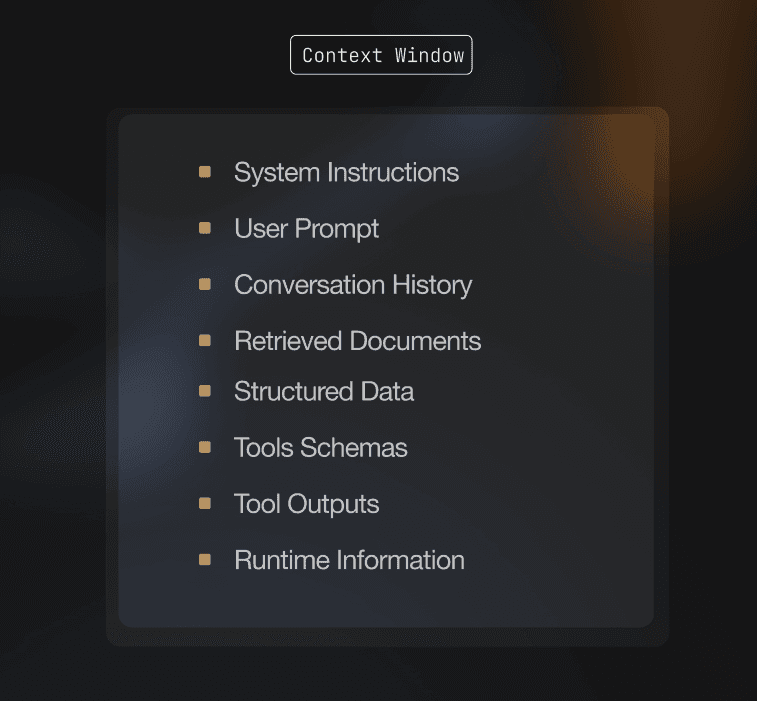
10 min read